English
Views: 0 Author: Site Editor Publish Time: 2026-07-21 Origin: Site
You can audit a PCBA manufacturer from a distance by utilizing live video calls and online tools. You ask clear questions and review important documents to determine if the PCBA factory meets your standards. By watching the production live through cameras, you eliminate the need for an on-site visit. You record the meetings and maintain files to document each step of the process. You audit a PCBA manufacturer by observing whether workers adhere to the correct procedures and how the factory addresses issues. This ensures that the supplier remains reliable. You audit a PCBA manufacturer by requesting evidence and monitoring the operations in real-time.
Make a careful plan for your remote audit. Set your goals and scope so you check all needed areas.
Use good technology for video calls and sharing documents. Test your setup before the audit to stop problems.
Do live video tours of the factory. This lets you see how things are done and how workers act right away.
Ask clear questions when you talk to workers. This helps you see if they know quality rules and steps.
Watch for warning signs during the audit. Bad quality control can mean bigger problems for your supply chain.
You should make a plan before starting a remote audit. Planning helps you spot risks and see if the PCBA manufacturer fits your needs. Focus on facts and numbers, not just what people think.
Decide what you want to check in the remote audit. Set clear goals and make sure everyone knows them. Industry standards suggest these steps:
Choose what you will check and when you will do it.
Think about what reports you need and how to share them.
Look at things that might change your audit.
Write down how you will check risks and controls.
Follow the rules for working with the supplier.
A table can help you set your scope and goals:
Aspect | Description |
|---|---|
Certification Verification | Make sure certificates are real and match the factory. |
Scope Confirmation | Check that the audit covers the right site and products. |
Audit Findings Review | See what the last audit found. |
Control Plan Sampling | Look at control plans for similar products. |
Process Walkthrough | Watch SMT and testing lines during the remote audit. |
Traceability Sampling | Track finished boards back to their parts. |
CAPA Log Review | Check logs for problems that happen again. |
Equipment Calibration | Make sure machines are calibrated. |
Quality Control Records | Look at quality records for recent shipments. |
Ask for documents before the remote audit starts. This lets you check certifications and compliance early. Look at these documents:
Type of Document/Certification | Description |
|---|---|
Supplier qualification | Shows if the supplier meets standards. |
Sub-supplier risk assessment | Checks risks from other suppliers. |
Purchasing specifications | Lists what you expect in products. |
QMS documentation | Explains the quality system. |
ISO 13485 certification | Proves compliance with ISO 13485. |
Document control procedures | Shows how documents are managed and updated. |
Check that all certifications and compliance documents are current.
Good communication is important for a remote audit. Try these best practices:
Look at documents and take virtual tours of the factory.
Use safe cloud platforms to share files right away.
Set up video calls to watch the manufacturing process.
Keep talking with the supplier and set clear quality rules.
Write down all your talks and meetings. This helps you remember what you saw and heard during the remote audit.
A good technology setup helps you do a remote factory audit well. You need the right tools to see the factory, talk to workers, and check documents. If you plan well, your remote factory audit will be easier and better.
You have to pick a video tool that works for your remote factory audit. People in different places use different tools. Here is a table to help you compare:
Video Conferencing Tool | Usage Context |
|---|---|
Zoom | Most common tool for remote audits |
Preferred in China due to connectivity issues | |
Microsoft Teams | Common in various regions but faces restrictions in China |
Used in Vietnam and Bangladesh as an alternative |
In China, WeChat is usually the best choice for a remote factory audit. In Vietnam and Bangladesh, you might use Microsoft Teams or WhatsApp. Always ask your supplier which tool they like for your remote factory audit.
You should set up a test call before your remote factory audit. This step helps you stop problems before the real audit. Make sure the video and sound work well. Check if you can see the machines and work areas. Ask the supplier to walk around with the camera. You need clear views to do a good remote factory audit. Try screen-sharing and switching cameras. These tools help you see papers and other parts of the factory during your remote factory audit.
Tip: Always check the internet speed at the factory before your remote factory audit. A slow connection can mess up your audit.
You must keep your data safe during a remote factory audit. Use safe cloud tools to share files. Look for these features:
Screenshot protection stops people from saving important pictures.
NDA gates make you sign an agreement before you see files.
Link expiry lets you stop access after the remote factory audit.
Dynamic watermarks show who looked at each page.
Folder-level permissions keep files safe from people who should not see them.
Audit logs show every time someone looks at or downloads a file.
Page-level analytics tell you which files you checked.
These tools help you keep your information safe during a remote factory audit. Always ask your supplier about their file sharing system before you start.
A live video walkthrough lets you see the factory as it works. You watch workers handle materials and follow steps. This helps you find problems and check if the factory meets your standards for a remote factory audit.
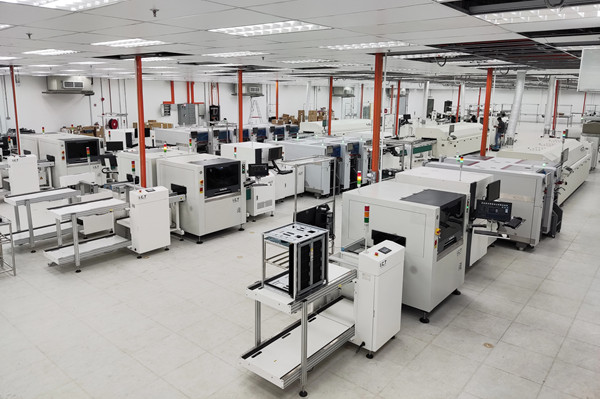
You need to plan your tour before the remote factory audit. Make a list of places you want to see. Start at the entrance, then go to the warehouse, SMT lines, assembly stations, and testing rooms. Ask the supplier to show each area in order. This helps you not miss any important steps in the pcb factory audit.
Tip: Give your tour plan to the supplier before the remote factory audit. This makes the walkthrough easier and helps you see everything you need.
Use a checklist to help guide your tour:
Entrance and visitor control
Warehouse and material storage
SMT production lines
Manual assembly stations
Testing and inspection rooms
Packing and shipping area
A clear route keeps you organized and makes your remote factory audit better.
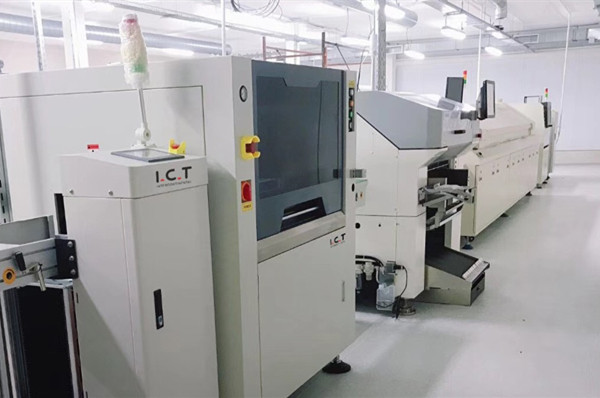
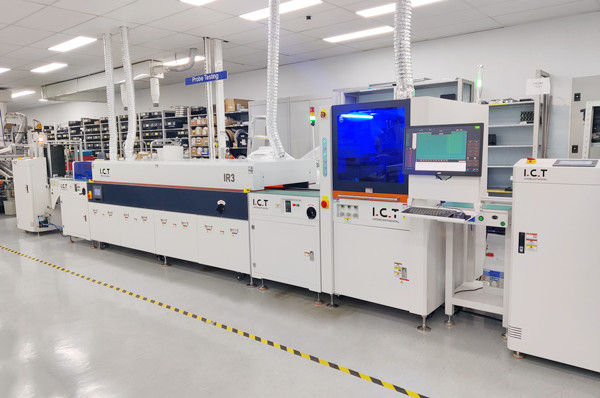
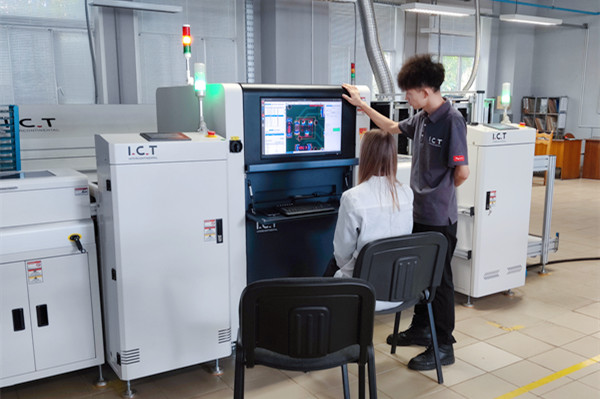
You must pay close attention to SMT lines and equipment during the pcb factory audit. The SMT process is very important for pcba quality. Use your video walkthrough to check these things:
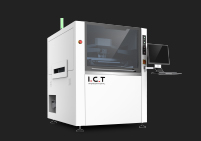
Look at stencil cleanliness and thickness for solder paste printing.
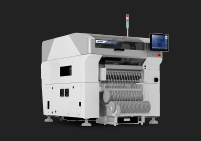
Check if the pick-and-place machine puts parts in the right spot. The best factories keep accuracy within ±0.05mm.
Ask to see reflow oven temperature profiles for each shift.
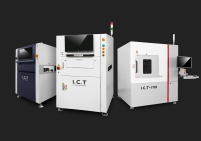
Make sure workers check every board with AOI machines.
Confirm the factory has X-ray equipment for BGA inspection.
Ask the supplier to zoom in on machines and show screens with process data. Use a table to organize your checks:
Inspection Type | Criteria |
|---|---|
Incoming Inspection | Visual checks on PCB bare boards, components, and solder paste. |
Solder Paste Printing Inspection | Even printing, pads lined up, correct thickness, and no defects. |
Chip Mounting Inspection | No misplaced parts, missing parts, or wrong direction. |
Soldering Defects | Watch for tombstone, not enough solder, and cold soldering. |
Final Inspection | AOI and X-ray checks for modules after reflow soldering. |
Look for these features during your remote factory audit:
Clean and ESD-safe environment
Controlled solder paste printing
Proper pick-and-place alignment
Reflow oven profile logs
Final AOI/X-ray inspection
Work instructions near machines
Labeling and traceability system
Proper storage for moisture-sensitive devices
These checks help you make sure the factory follows strict rules for pcba production.
Cleanliness and organization show how well the factory controls its work. During your remote factory audit, ask the supplier to show floors, workbenches, and storage areas. Look for clear walkways, neat workstations, and proper waste bins. Workers should wear ESD-safe clothes and follow safety rules.
Use a simple checklist:
Are floors clean and free of trash?
Do workers wear uniforms and ESD gear?
Are tools and materials organized?
Is there a clear labeling system for boards and parts?
Are storage racks tidy and safe?
A neat factory helps prevent mistakes and keeps pcba quality high. You can spot problems fast during your pcb factory audit if you see messy areas or unsafe actions.
Note: Clean factories usually have better quality and fewer defects. Always look for signs of good housekeeping during your remote factory audit.
A remote factory audit lets you check a supplier from far away. You can watch how the factory works and talk to staff live. You also look at documents while sitting at your computer. If you want to do a pcb factory audit from a distance, focus on process control, quality systems, and material traceability. These steps help you find risks and make sure the pcba supplier meets your needs.
You need to see if the factory controls its work well. Good process control means fewer mistakes and better pcba quality. During a pcb factory audit, look for these important things:
Quality system and documentation: The factory should have clear rules and keep records for every step.
Equipment and process control: Machines must be checked, fixed, and calibrated often to stop defects.
Risk management and compliance: The factory should follow industry rules and have plans for risks.
Materials and traceability: You should see how the factory tracks materials from start to finish.
Reliability and continuous improvement: The factory should measure how it does and try to get better.
You can use different ways to check process consistency during a remote factory audit. Here is a table to help you understand:
Method | Description |
|---|---|
Video factory tours | You watch the production area and see how workers follow steps. |
Document review | You check quality records and process papers. |
Online engineering meetings | You talk with engineers about technical issues and solutions. |
Tip: Ask the supplier to show you live data from machines and quality logs during your remote factory audit. This helps you see if they follow their own rules every day.
You must check the factory’s quality systems and engineering skills during a pcb factory audit. Strong systems help the supplier find problems early and fix them fast. You can use a table to organize what you need to check:
Audit Area | Key Focus Areas |
|---|---|
Process Control Systems | Process papers, parameter checks, equipment care, chemical handling |
Quality Inspection Systems | AOI checks, electrical tests, X-ray scans, SPC tracking |
Engineering Capability | DFM reviews, stackup planning, troubleshooting, technical talks |
Material Traceability | Tracking raw materials, batch records, inspection logs, process history |
Certifications and Compliance | ISO 9001, IATF 16949, UL certificates |
Production Consistency | Stable yields, defect trends, customer return handling |
You should ask for proof of certifications and check if the factory uses AOI and X-ray machines for pcba inspection. Look for signs that the engineering team can solve problems and improve the process. Good talks between engineers and workers show strong quality control.
Note: A factory with strong quality systems will have fewer defects and better delivery. Always check if the supplier tracks quality data and uses it to improve.
Material traceability is a key part of any pcb factory audit. You need to see if the factory can track every part from the supplier to the finished pcba. A good system links each board to its full history, from material sourcing to final inspection. This gives you real-time visibility and helps you spot problems before they grow.
You should check material traceability in these ways:
Compare material scans with the released BOM and approved vendor list.
Make sure the system blocks unapproved parts using master data, label checks, feeder mapping, and special permissions for exceptions.
Ask the supplier to show you how they track materials during your remote factory audit. You can ask to see how they scan barcodes, store parts, and record each step. This helps you confirm that the pcba you receive matches your needs.
Callout: Strong traceability protects you from fake parts and helps you fix problems fast if something goes wrong.
If you follow these steps, you will know how to do a pcb factory audit that gives you confidence in your supplier. A remote factory audit can help you manage risks, improve quality control, and build trust with your pcba partner.
Interviewing workers gives you a real look at how the factory runs. You can learn if operators and supervisors understand their jobs and follow the right steps. You do not need to be in the factory to ask good questions. You can do this through a live video call.
You should ask clear and direct questions. These questions help you see if workers know their tasks and follow quality rules. Here are some examples you can use:
Walk me through how you ensure every build meets spec from start to finish.
Tell me about a time you found a defect or out-of-tolerance part—what happened next?
How comfortable are you reading blueprints or schematics and using them on the line?
Which precision tools and torque methods do you use to hold tight tolerances?
What steps do you take to work safely, including PPE and lockout/tagout?
How do you manage your tasks when multiple jobs or rush orders compete for time?
Describe how you record work and quality checks in travelers, MES, or ERP.
How have you helped reduce rework or waste with a process improvement?
Tell me about collaborating with teammates to hit quality and throughput goals.
For electronics roles: what experience do you have with SMD soldering and IPC‑A‑610?
Tip: Listen for clear answers. Workers who know their jobs will give details, not just say “yes” or “no.”
You should talk to both operators and supervisors. Operators can show you how they do their work. Supervisors can explain how they check quality and solve problems. Ask them to show you their work area and tools on camera. Watch how they handle boards and use machines. You can also ask them to show you how they fill out records or checklists.
Note: If workers seem unsure or cannot answer basic questions, this may show weak training or poor process control.
You need to check if the factory trains workers well. Ask about their training system and look for proof. A good factory keeps a training matrix and sign-off records for each role. Use this table to guide your review:
Question | What to Look For | Warning Sign |
|---|---|---|
What training system ensures operator competency? | Training matrix with role-based requirements; sign-off records for key processes. | No documented training requirements or competency verification. |
If you see missing records or unclear answers, you should ask more questions. Good training means better quality and fewer mistakes.
You should look for warning signs during remote audits. These signs can show if a PCBA factory has problems. These problems might hurt your business. Some common red flags are:
Solder quality is not the same every time
You cannot track parts or boards
Problems with humidity and moisture-sensitive device (MSD) care
Machines are old or not checked
If you see any of these, ask more questions. Bad solder quality can make weak connections. If you cannot track parts, it is hard to find where problems start. Bad humidity control can ruin sensitive parts. Old or unchecked machines may not work right. If you ignore these red flags, you might get products with hidden problems. You could see bad quality or pay more to fix and return items.
Tip: Always use a checklist during remote audits. This helps you find problems fast and stay on track.
You should check if the supplier is open and answers fast during remote audits. A good supplier will answer your questions quickly. They will show you what you ask for. If the supplier does not answer or gives confusing answers, this is a warning. You should see live video of the production area, not just pictures. Ask the supplier to show documents live on camera. Watch how they react to your requests. If they wait too long or try to hide things, be careful.
A good supplier will share process data, quality records, and old audit results. They will not make excuses or try to delay you. You can trust suppliers who are open during remote audits. This helps you control risks and make smart choices.
You need a factory audit checklist to stay organized. This checklist helps you remember what you checked. It also shows what you still need to look at. You can use a table to see important checkpoints and standards for each area. Here is an example you can use:
Audit Area | Key Checkpoints | Acceptable Standard |
|---|---|---|
Certifications | ISO 9001, IPC standards, industry specs | Valid, unexpired original certificates |
Mounter precision, reflow zones, SPI | Modern machines (Fuji, Yamaha), 8+ zone reflow | |
Component Sourcing | AVL, MSD storage, incoming inspection | Authorized distributors, strict dry cabinet use |
Soldering Control | Wave solder specs, hand soldering rules | Routine profile checks, calibrated irons |
Inspection & Test | AOI, X-ray, ICT capabilities | 3D AOI standard, X-ray for all BGA components |
ESD Controls | Grounding, wrist straps, humidity logs | Full compliance, daily wrist strap testing logs |
Traceability | Date codes, MES tracking, CAPA | Component-level tracking linked to board serials |
Engineering | DFM review, communication speed | Dedicated engineering support, 24h response |
Check every item on your factory audit checklist before you finish your report. This makes your review easy to understand.
You must rate how well the supplier did after your audit. You can give scores or grades for each area. Look at how the factory meets your standards. Ask yourself these questions:
Did the supplier show real certificates?
Are machines new and taken care of?
Do workers follow safety and quality rules?
Can you trace every part from start to finish?
Tip: Write notes for each area. This helps you remember what you saw and makes your rating better.
You can use a simple scoring system like “Pass,” “Needs Improvement,” or “Fail.” This makes it easy to compare suppliers.
You need to make smart choices after your audit. Many things can change your decision:
Component shortages
Price changes
Long wait times
Supplier inconsistency
Need for accurate BOM checks
You can use digital buying tools like CalcuQuote to see prices and lead times. These tools help you check supplier reliability in one place.
Note: Always look at your audit report before you pick a supplier. This helps you avoid risks and choose the best partner for your needs.
You can learn a lot from a remote factory audit, but you cannot see everything. You can watch live video and check documents. You cannot always feel the product or test it yourself. Some things, like machine noise or smells, do not show up on camera. You might miss small details if the camera does not zoom in close enough. You also cannot check the factory’s security or emergency exits as well as you could in person.
Note: A remote factory audit gives you a good overview, but it does not replace a full on-site visit.
Here is a table to help you see what you can and cannot check:
Can Verify Remotely | Cannot Verify Remotely |
|---|---|
Process walkthroughs | Product touch and feel |
Document review | Hidden safety issues |
Worker interviews | Smells, noise, temperature |
Equipment calibration logs | Full emergency drills |
You can use third-party auditors to help with your remote factory audit. These local experts can visit the factory for you. They can check things you cannot see on video. They can also send you extra photos and reports. You can hire them for a one-time check or regular visits. Some buyers use local agents who know the language and culture. This helps you get a full picture of the factory.
Tip: Ask your third-party auditor to focus on areas you cannot check during your remote factory audit.
You should plan a follow-up visit after your remote factory audit. You can use your first audit to find weak spots. Later, you or your team can visit the factory in person. This lets you check things you missed before. You can also build a better relationship with the supplier. If you cannot travel, you can ask a trusted partner to visit for you.
Callout: A remote factory audit is a strong first step. You can use it to decide if a supplier is worth a closer look.
You need to pick a third-party firm that matches your audit needs. Look for firms with good certifications and real PCB manufacturing experience. Check if they know SMT and DIP assembly steps. Make sure they can do testing and BOM sourcing. You want a provider who manages warehouses well and keeps traceability records. Project management skills are important. Ask for examples of how they solved problems for other buyers.
Certifications
PCB manufacturing skills
SMT/DIP assembly steps
Testing
BOM sourcing
Warehouse management
Traceability
Project management
Case examples
Tip: Ask the firm to show proof of their certifications and past projects. This helps you trust their skills.
Local partners help you understand the factory’s culture and language. They know the area and can visit the site fast. You get quicker answers and clearer reports. Local partners often spot risks that outsiders miss. They can explain rules and customs to you. You build stronger relationships with suppliers when you use local help.
Benefit | Description |
|---|---|
Fast response | Local partners act quickly |
Language support | They speak the local language |
Cultural insight | They know local customs |
On-site access | They can visit factories easily |
Note: Local partners make your audit smoother and help you avoid misunderstandings.
You must balance cost and expertise when picking a provider. High expertise usually costs more, but it gives you better results. Low-cost providers may miss important details. Compare prices and check what each provider offers. Look for firms with clear pricing and strong skills. Ask for a sample report to see their work quality.
Compare provider fees
Check skill levels
Review sample reports
Callout: Paying more for expertise can save you money in the long run by avoiding costly mistakes.
You can check a PCBA manufacturer from far away if you follow easy steps. First, make a good plan and use tools that work well. Think about risks so your business stays safe. Use a checklist to help you remember what you have done. Ask for help from others if you cannot check something by yourself.
Tip: Write a simple plan. Pick a date for your remote audit, collect the papers you need, and set up video calls. Look at what you find and choose if the supplier is right for you.
You need to ask for ISO certificates and quality manuals. Also, get process flow charts and inspection records. These papers help you see if the factory follows your rules.
Ask the supplier to show stickers on machines during a video call. Request logs that show calibration dates. Check who signed the records and when.
Yes, you can interview workers. Use video calls to talk to operators and supervisors. Prepare easy questions for them. Watch how they answer and ask to see their work area.
Risk | Example |
|---|---|
Missed details | Camera does not show everything |
Limited access | Some areas stay off-limits |
Data reliability | Supplier controls the view |
You should always watch out for these risks.