English
Views: 0 Author: Site Editor Publish Time: 2026-05-08 Origin: Site
Selecting the right SMT stencil printer can be a make-or-break decision for your electronics manufacturing success. From solder paste volume consistency to defect rates, production speed, and long-term costs—this machine plays a crucial role in shaping your output quality and efficiency. But with so many options available, it’s easy to get stuck: Should you go for a budget-friendly manual printer, a versatile semi-automatic option, or invest in a high-performance automatic system? The truth is, there’s no one-size-fits-all answer.
The ideal choice hinges on key factors like your production volume, budget, quality demands, and growth trajectory. In this guide, we’ll break down the pros and cons of each machine type so you can make a decision that aligns perfectly with your needs and long-term goals.
As you navigate through this article, we’ll dive into each printer type’s key features, advantages, and limitations, helping you understand how to assess your specific needs. Whether you’re a small business looking to scale or a high-volume manufacturer seeking precision, we’ve got you covered. Let’s explore how the right SMT printer can transform your production line and drive success.
Manual SMT printers offer the most affordable initial investment and unmatched flexibility, making them a perfect choice for prototyping or low-volume runs where cost-efficiency is a priority.
Semi-automatic printers strike the ideal balance between cost, speed, and consistency, making them an excellent fit for medium-volume production where versatility and moderate automation are key.
Automatic SMT printers excel in high-volume production environments, delivering superior throughput, precision, and repeatability. They provide the best long-term ROI when production volumes justify the higher investment, ensuring consistent quality and efficiency.
The right printer doesn’t just improve efficiency—it can significantly reduce defects, lower labor costs, and boost first-pass yield. An incorrect choice, however, can lead to increased rework, inconsistent product quality, and lost productivity.
At I.C.T, we offer expert, one-stop SMT solutions tailored to help manufacturers select the perfect printer for their unique needs, ensuring optimized performance and a smooth integration process.
Solder paste printing is the foundation of the SMT process—it's the first step in ensuring your PCB assemblies are successful. Precise solder paste deposition is crucial; poor printing can lead to defects such as insufficient solder, bridging, or tombstoning during reflow.
As components shrink and boards grow more complex, achieving printing accuracy becomes even more critical. The printer you choose will directly impact print quality, labor efficiency, cycle time, changeover speed, and overall line productivity.
A wrong choice can create production bottlenecks, increase operational costs, and hinder your ability to scale efficiently. In short, selecting the right printer ensures smoother operations and better-quality products, while the wrong one can severely disrupt your entire process.
Manual Printers: These machines rely almost entirely on operator skill for alignment and squeegee movement. They offer flexibility but demand significant hands-on attention, making them suitable for low-volume production or prototypes.
Semi-Automatic Printers: These printers automate the squeegee action, reducing operator effort while still requiring manual board loading and basic alignment. They provide a good balance of automation and control for medium-volume runs.
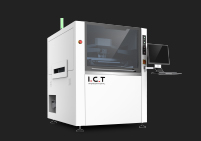
Automatic Printers: Full-automatic printers handle alignment, printing, and often stencil cleaning with minimal human intervention. They are designed for high-volume production and are ideal for ensuring consistent quality, reducing labor costs, and increasing throughput.
Each printer type is tailored to different production needs, offering a spectrum of flexibility, automation, and efficiency. The best choice depends on your production volume, budget, and required level of automation.
Manual SMT printers are straightforward machines where the operator manually aligns the stencil over the PCB and uses a squeegee to apply solder paste. Many models require no electricity for core functions, making them easy to set up and operate.
These machines are simple but effective for small-scale operations, offering a hands-on approach to the printing process.
Advantages:
Low Initial Investment: With prices typically ranging from $2,000–$5,000, manual printers are budget-friendly, making them accessible to small businesses or startups.
High Flexibility: They can accommodate a wide range of PCB sizes and configurations, perfect for quick product changes.
Minimal Maintenance: Fewer components to maintain means less downtime and lower operating costs.
Limitations:
Low Throughput: Manual printers often produce fewer than 150 boards per day, making them less suitable for high-volume production.
Heavy Dependence on Operator Skill: Inconsistencies in paste volume or alignment can lead to defects, requiring highly skilled operators to maintain quality.
Labor-Intensive: The manual nature of the printer means more physical effort and longer setup times.
Manual SMT printers are ideal for:
Prototyping and R&D: Perfect for small runs, testing, and design iterations.
Low-Volume Production: Great for companies with small batches or highly varied products.
Repair Work: Suitable for small-scale repairs where flexibility and cost are key.
Small startups, hobbyists, and companies with a highly variable product mix often choose manual printers due to their affordability and adaptability.
Customer Pain Points:
Inconsistent Paste Volume: Operators often struggle with fatigue, leading to uneven paste application and increased defect rates.
Quality Control Issues: Variability in paste deposition can result in defects like insufficient solder or bridging.
Solutions:
Proper Training: Ensuring operators are well-trained can minimize the risk of inconsistencies and defects.
Quality Checks: Implementing simple visual or automated checks after printing can help catch errors early and ensure quality.
Stencil Quality: Using high-quality stencils can improve paste deposition and consistency, reducing the impact of human error.
Manual printers, while labor-intensive, provide flexibility and are a cost-effective solution for businesses focused on prototypes, low-volume runs, and product testing. With the right training and tools, the challenges of inconsistency and fatigue can be minimized, ensuring reliable results.
Semi-automatic SMT printers take a step toward automation by motorizing the squeegee movement, ensuring consistent paste pressure and speed. Many models also include basic vision alignment systems, which help improve printing accuracy.
While operators are still responsible for loading and unloading boards manually, these printers offer greater precision and efficiency compared to fully manual machines, reducing the physical strain on workers and enhancing production consistency.
Advantages:
Improved Consistency: Semi-automatic systems provide more reliable results than manual printers by automating the critical squeegee movement, ensuring uniform paste deposition.
Medium Throughput: Capable of producing up to 500 boards per day, these printers offer a good balance between volume and cost, making them ideal for businesses scaling up production.
Cost-Effective: With a price range of $8,000–$14,000, semi-automatic printers offer a middle ground between affordability and efficiency, without the hefty upfront costs of full automation.
Limitations:
Still Requires Some Manual Handling: While they offer automation for the printing process, operators still need to manually load and unload the boards, which can slow down production for high-volume needs.
Lower Speed Than Full-Automatic Printers: Semi-automatic systems can’t match the high-speed throughput of full-auto printers, which may be a consideration for large-scale manufacturers.
Semi-automatic printers are well-suited for:
Medium-Volume Production: Companies that need to produce a moderate number of boards per day but aren't ready to make the leap to full automation.
Mixed Product Lines: Manufacturers with a varied product mix who need the flexibility to print different PCB sizes without excessive changeover time.
Growing Businesses: Companies looking to scale their production while managing costs, offering a cost-effective upgrade from manual systems without the financial commitment of full automation.
These printers offer an ideal balance for businesses looking for increased efficiency without a massive investment in automation.
Customer Pain Points:
Changeover Time: Transitioning between different product sizes or designs can still require manual setup, leading to downtime and delays.
Alignment Issues: Although semi-automatic printers include basic vision systems, occasional alignment errors may occur, especially with complex boards.
Solutions:
Upgraded Vision Systems: Modern semi-automatic printers feature more advanced vision alignment systems, reducing alignment errors and improving the overall accuracy of the print process.
Quick Changeover Features: Many models now include tools designed to reduce changeover time, such as fast-adjust squeegees or automated stencil cleaning, improving overall production efficiency.
Semi-automatic printers provide a practical and cost-effective solution for manufacturers looking to boost production efficiency without the high costs of fully automated machines. With the right upgrades, many of the limitations, such as alignment issues and changeover delays, can be minimized, offering a clear path to increased productivity.
Full-automatic SMT printers offer cutting-edge features designed for high-efficiency, high-precision production. Key capabilities include:
Automatic Board Alignment: Using advanced vision systems or fiducials, these printers automatically align the board for perfect printing accuracy.
Programmable Squeegee Parameters: Allows precise control over paste deposition, ensuring consistency and quality across production runs.
Automatic Stencil Cleaning: Reduces downtime and ensures a clean, efficient printing process.
MES Integration: These printers can integrate with Manufacturing Execution Systems (MES), streamlining data flow and improving process traceability.
Speed and Efficiency: Cycle times can be as fast as 7–15 seconds per board, significantly improving throughput for high-volume production.
Advantages:
Superior Accuracy: Automatic printers ensure high precision, reducing the chances of defects like solder bridges or insufficient paste.
High Throughput: Capable of printing thousands of boards per day, making them ideal for high-volume manufacturers.
Lowest Defect Rates: Automation minimizes human error, ensuring consistent, high-quality results and reducing scrap and rework.
Reduced Labor Dependency: With minimal human intervention required, these printers lower labor costs and reduce the reliance on highly skilled operators.
Limitations:
High Initial Cost: Starting at $30,000 and up, automatic printers have a higher upfront cost compared to manual and semi-automatic models.
Less Flexibility: Due to their highly automated nature, these printers are less adaptable to frequent product changes or small-batch runs, making them less ideal for companies with diverse product lines.
Automatic SMT printers are best suited for:
High-Volume Production: Industries such as consumer electronics, automotive, and medical devices that require large-scale, consistent production runs.
Stable, Repeating Orders: These printers are perfect for businesses that produce the same or similar products in high quantities, where automation delivers maximum efficiency.
For businesses focused on scaling production and maintaining high precision, an automatic printer is the most efficient choice.
Customer Pain Points:
Large Upfront Investment: The cost of automatic printers can be a significant barrier for some businesses, especially those just starting to scale up production.
Solutions:
Long-Term ROI: Although the initial investment is high, the return on investment (ROI) is typically realized within 12–24 months, thanks to reduced labor costs, lower defect rates, and fewer rework requirements.
Reliable Long-Term Performance: I.C.T's automatic printers are designed for long-term durability and high reliability, with excellent customer support to ensure smooth operation over the years.
Scalability: For businesses that expect growth or consistent production volumes, the high throughput and reduced manual intervention make automatic printers an excellent investment for long-term success.
Here, you would have a table that compares the three printer types based on key factors such as:
Factor | Manual Printer | Semi-Automatic Printer | Automatic Printer |
|---|---|---|---|
Initial Cost | $2,000–$5,000 | $8,000–$14,000 | $30,000+ |
Throughput (boards/day) | <150 boards | Up to 500 boards | Thousands of boards |
Accuracy/Repeatability | Low (depends on operator skill) | Medium (automated squeegee) | High (automated alignment & squeegee) |
Labor Requirement | High (manual operation) | Medium (manual loading, automated printing) | Low (minimal human intervention) |
Flexibility | High (suitable for various sizes) | Medium (some manual handling required) | Low (less adaptable for frequent changes) |
Defect Rate | High (depends on skill) | Medium (improved consistency) | Low (precision and automation minimize defects) |
Best For | Prototyping, R&D, small batches | Medium-volume production, mixed products | High-volume production, consistent products |
Manual Printers: These machines have the lowest initial cost, making them an affordable option for small-scale operations. However, the long-term labor costs can add up, especially with higher defect rates and slower throughput. Over time, manual printers may lead to inefficiencies that hinder growth, which impacts ROI negatively.
Semi-Automatic Printers: Offering a middle ground, semi-automatic printers are priced reasonably and offer improved consistency compared to manual machines. They offer good ROI for medium-volume production with moderate labor costs. While their throughput is higher than manual printers, they still require some operator involvement.
Automatic Printers: Although automatic printers come with a higher upfront investment, they offer the best ROI in high-volume environments. With their high speed, consistency, and reduced defect rates, they provide a long-term cost-saving solution. Businesses can recoup their investment within 12–24 months due to lower labor requirements, reduced defects, and improved production efficiency.
When deciding between manual, semi-automatic, or automatic printers, it’s crucial to focus on your current needs and future growth potential:
Production Volume: If your business is scaling up and you need to increase output, a semi-automatic or automatic printer may be the best fit. Manual printers are better for low-volume, flexible production but struggle at higher volumes.
Budget Constraints: If your budget is tight, manual printers provide a cost-effective solution. Semi-automatic printers balance cost and performance, while automatic printers require a larger initial investment but promise excellent long-term returns.
Quality & Consistency: For businesses that prioritize high-quality, low-defect products, automatic printers offer the best accuracy and consistency. Semi-automatic printers are a good compromise if you’re not yet ready for full automation.
Labor & Efficiency: Consider how much labor your team can dedicate. If your team is small or lacks specialized training, manual printers may be more challenging. Semi-automatic and automatic printers help reduce reliance on skilled operators.
Ultimately, the right printer for your business will depend on a combination of your immediate needs, budget, and long-term growth plans. Avoid simply choosing the most advanced machine available—instead, focus on the machine that aligns best with your production volume, product types, and desired efficiency gains.
Choosing the right printer type depends largely on how many boards you need to produce daily.
To further understand the considerations involved in selecting the best machine for your SMT line, it's essential to look at all factors, from speed and accuracy to cost and scalability. If you're unsure how to evaluate these factors, check out our detailed guide on how to choose the right solder paste printing machine for your SMT line.
Low Volume (<150 boards/day): Manual printers are ideal for small runs and prototypes. They are cost-effective and provide flexibility, but at the cost of slower throughput.
Medium Volume (150–500 boards/day): Semi-automatic printers provide a balanced approach with better efficiency and consistency, making them perfect for medium-scale production.
High Volume (>500 boards/day): Automatic printers are the best choice for large-scale production. They offer the highest throughput and speed, ensuring fast, reliable output with minimal human intervention.
When budgeting for an SMT printer, it’s important to consider more than just the initial purchase price:
Total Cost of Ownership (TCO): Include not only the purchase price but also ongoing costs such as labor, maintenance, energy consumption, operator training, and scrap costs. These factors will impact your ROI over 3–5 years.
Long-Term Savings: While automatic printers require a higher initial investment, they often provide greater long-term savings through reduced labor costs, fewer defects, and higher throughput. Semi-automatic printers strike a balance between affordability and efficiency, while manual printers come with the lowest initial cost but may incur higher labor expenses.
The level of precision you need will determine which printer is the best fit:
Fine-Pitch Components and High Precision: If you’re working with small, complex components or require very high printing accuracy, semi-automatic or automatic systems are ideal. They provide better consistency and reduce the risk of defects.
Standard Components: Manual printers may still be sufficient for larger, less intricate components, where extreme precision is not as critical.
How often do you change your product designs or PCB layouts?
Frequent Design Changes: Manual and semi-automatic printers are better suited for environments where design changes are frequent. They offer the flexibility to quickly adapt to different product sizes and configurations without significant downtime.
Stable Product Lines: If you produce a limited range of products or plan to streamline your product offerings, an automatic printer may be more suitable, as it can offer higher throughput and lower labor costs.
Consider the level of expertise and the labor available to operate and maintain the printer:
Automatic Systems: These printers require minimal human intervention and can reduce reliance on skilled operators, but they may require technicians for technical maintenance and troubleshooting.
Manual and Semi-Automatic Systems: While they are easier to operate, they rely more on skilled labor. Semi-automatic systems offer a compromise, reducing some manual tasks while still requiring operator involvement.
To simplify the decision-making process, focus on these key factors:
Industry Type: What kind of products are you manufacturing? (e.g., consumer electronics, automotive, medical devices)
Expected Growth: Are you planning to scale your production in the near future?
Current Pain Points: Are you facing issues with throughput, accuracy, or quality?
By aligning these factors with your production goals, budget, and product mix, you can quickly narrow down the most suitable printer for your needs.
To ensure smooth operations, make sure the SMT printer integrates seamlessly with your existing equipment:
Conveyor Heights and Cycle Times: The printer should match the heights and cycle times of your conveyors, pick-and-place machines, and other key equipment in your SMT line. This ensures a smooth flow of materials and reduces bottlenecks during production.
Proper training and ongoing optimization are critical to getting the best results:
Operator Training: Invest in thorough training for operators to ensure they understand both the machine's capabilities and best practices for high-quality printing. Regular training sessions can help reduce errors and improve efficiency.
Process Optimization: Conduct regular process audits to identify potential improvements and ensure the printer is running at peak performance. Small adjustments can lead to significant increases in throughput and quality.
Avoid these common pitfalls to maximize the effectiveness of your SMT printer:
Focusing Only on Price: While cost is an important factor, focusing solely on the initial purchase price can lead to higher long-term costs. Consider total cost of ownership, including maintenance and labor, when making your decision.
Underestimating Changeover Needs: If your product mix changes frequently, be sure to account for the time and effort needed to adjust the printer for different designs. The wrong machine can slow down your production when frequent design changes are required.
Neglecting Stencil and Paste Management: Proper stencil cleaning, paste storage, and paste management are crucial for ensuring consistent print quality. Failing to manage these factors can lead to defects and reduced printer efficiency.
Choosing the right SMT printer is essential for optimizing production efficiency, maintaining high-quality standards, and supporting future growth:
Manual Printers: Best suited for startups, small businesses, or prototypes with low production volume. They offer flexibility but are slower and require more manual labor.
Semi-Automatic Printers: Provide an excellent balance for growing businesses with medium-volume production needs. They offer better efficiency and consistency than manual printers while remaining cost-effective.
Automatic Printers: Ideal for high-volume, high-precision production lines where speed and consistency are critical. They offer the highest ROI in the long run but require a higher initial investment.
By evaluating your production volume, budget, quality goals, and growth plans, you can make a smart, informed decision that aligns with your business needs. Companies like I.C.T specialize in providing professional, one-stop SMT solutions, helping customers select, install, and optimize the ideal printer for their specific requirements. We ensure that your investment leads to increased efficiency, reduced defects, and long-term success.
What are the key differences in maintenance between manual and automatic printers?
How do I calculate the ROI of upgrading to an automatic SMT printer?
What is the best option for a small business?
How do I determine if my production volume justifies a semi-automatic or automatic printer?
What should I consider when choosing a printer based on product types?
Can I upgrade my manual printer to semi-automatic or automatic in the future?